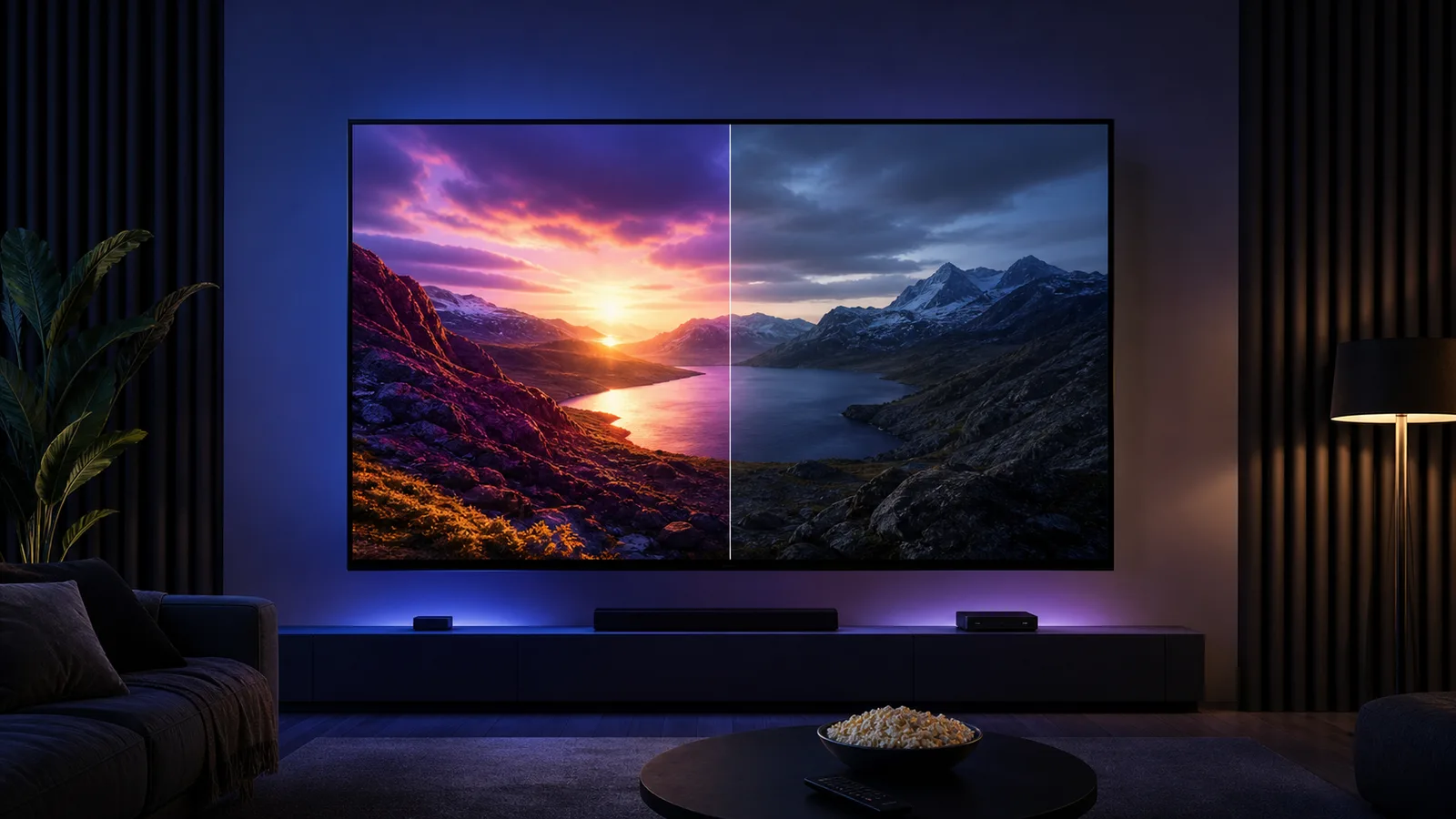
Direct answer: HDR10 is the widely supported baseline HDR format. Dolby Vision can carry dynamic scene-by-scene or frame-by-frame guidance that helps compatible televisions map brightness and color more precisely. Dolby Vision is not automatically better on every screen; the source, app, streaming device, HDMI path and television must all support it.
We often see viewers chase an HDR badge before checking the television itself. In practice, panel contrast, brightness, local dimming, tone mapping and room light can matter as much as the format name. A good HDR10 presentation on a capable display can look better than Dolby Vision on an entry-level panel.
HDR10 vs Dolby Vision differences
The main difference is how each format communicates mastering information to the display. HDR10 uses static metadata for the title, while Dolby Vision can use dynamic metadata that changes by scene or frame. Dolby Vision is licensed and requires compatible processing; HDR10 is the broadly supported baseline.
The practical differences are:
- HDR10 is supported by a wider range of televisions and playback devices
- Dolby Vision can give a compatible television more precise scene-by-scene tone-mapping guidance
- Dolby Vision must be supported by the content, app, player, connection path and television
- HDR10 can still look excellent when the display has strong native contrast and tone mapping
- Neither format increases the source resolution or repairs a low-bitrate stream
These are format capabilities, not a promise that one version of every title will look better. The quality of the master and the television remain decisive.
What HDR10 is
HDR10 is an open high-dynamic-range format used across televisions, streaming devices, game systems and Ultra HD content. It uses static metadata, meaning the general mastering information applies to the title rather than changing its instructions for every scene.
HDR10 is important because it is the common compatibility layer. A television advertised as HDR-capable will normally support HDR10 even when it does not support every premium or dynamic format.
HDR10 can provide:
- Brighter highlights than standard dynamic range
- More visible detail in bright and dark parts of a well-mastered image
- A wider compatible color range
- Broad support across hardware and services
The result still depends on the screen. A badge cannot give a television contrast or brightness that its panel cannot produce.
What Dolby Vision changes
Dolby Vision is a proprietary HDR format that supports dynamic metadata. The content can provide more specific guidance as scenes change, allowing a compatible display to adapt its tone mapping to bright, dark and mixed sequences.
That can help preserve highlight detail in one scene and shadow detail in the next instead of relying on one title-wide instruction. Dolby Vision also defines a controlled production and playback ecosystem, although the visible benefit still varies with the master and hardware.
Dolby Vision requires support at every relevant stage:
- The title must be available in Dolby Vision
- The service and account must deliver that version
- The player app must support it on that device
- The streaming device must output it correctly
- The HDMI input and cable must carry the signal when an external player is used
- The television must decode and display it
If one part fails, playback may fall back to HDR10 or standard dynamic range.
Dolby Vision vs HDR10 in real viewing
The biggest theoretical difference is metadata. HDR10 normally uses a static set of mastering information. Dolby Vision can adjust its guidance throughout the program.
In a difficult film with both very dark interiors and intense daylight, dynamic guidance may help a television avoid clipping bright areas or crushing shadow detail. The difference can be subtle on a strong high-end display and more useful on a screen that depends heavily on tone mapping.
Our practical view is simple:
- Prefer Dolby Vision when the complete setup supports it reliably
- Do not reject a television solely because it uses excellent HDR10 instead
- Judge the panel and tone mapping, not only the badge
- Keep automatic format matching enabled when possible
- Compare the same master, picture mode and room lighting
Is Dolby Vision worth it?
It is worth having when you already use services and hardware that provide compatible content. It should be treated as one part of a television decision, not the entire decision.
Dolby Vision is more likely to matter when:
- You watch films and premium series with demanding dark and bright scenes
- The television has useful contrast and peak brightness
- Your streaming device and apps support automatic format matching
- You prefer accurate cinema modes over exaggerated store presets
It matters less when most viewing is standard dynamic range, the room is always extremely bright, or the television has limited contrast. In those cases, improving placement, reflections and picture settings may create a larger visible change.
Why Dolby Vision can look too dark
A dark image is not always a format failure. Cinema-oriented masters are often designed for a controlled room, while television presets may reduce brightness or use inaccurate tone mapping.
Check these items before disabling HDR:
- Use the television’s Dolby Vision Bright, Cinema Home or equivalent daytime preset when the room is bright
- Disable aggressive energy-saving brightness limits for the comparison
- Confirm that the HDMI input uses its enhanced signal mode
- Update the television, app and streaming device
- Test a second known Dolby Vision title
- Compare the internal TV app with the external device
Do not copy numerical settings from a different model. Even televisions from the same manufacturer can use different panels and processing.
How to confirm which HDR format is playing
Open the television’s signal information or picture-mode banner while playback is active. Many models briefly display Dolby Vision, HDR or HDR10 when the format starts.
Do not rely only on the content thumbnail. A catalog can advertise a format that is unavailable on one device, subscription tier or region. The active television signal is the more useful confirmation.
If an external player is used, check:
- Video output is set to automatic or match content
- The correct HDMI input supports enhanced bandwidth
- The app supports Dolby Vision on that exact device
- The cable is secure and appropriate for the selected output
Our 4K versus HDR guide explains why resolution and dynamic range are separate. The real 4K checklist covers output verification in more detail.
HDR10+, HLG and standard HDR
Dolby Vision and HDR10 are not the only formats. HDR10+ also uses dynamic metadata, while HLG is designed with broadcast use in mind. Hardware support differs by manufacturer and source.
You do not need to force one format for every title. A reliable setup lets the source and display negotiate a compatible mode. The best format is the one supported by the whole chain and handled well by the television.
Picture settings for a fair comparison
Use equivalent modes when comparing. A vivid HDR10 preset against a dark Dolby Vision cinema preset is a comparison of settings, not formats.
Start with:
- An accurate cinema, filmmaker or calibrated preset
- Automatic HDR and frame-rate matching
- Original aspect ratio
- Moderate sharpness
- Motion processing adjusted separately from HDR
- Room lighting that does not reflect across the screen
Use the same scene and pause at highlights, faces, clouds and shadow detail. Our Smart TV picture-settings guide provides a stable baseline.
Which should you choose?
Choose a television for its complete performance and the formats used by your devices. Dolby Vision is a useful advantage, particularly for film and series libraries, but excellent HDR10 remains valuable and widely compatible.
If both are available, leave automatic format matching enabled and let the compatible source select the appropriate mode. If only HDR10 is available, focus on a stable high-quality stream, an accurate picture preset and a capable screen rather than assuming the experience is incomplete.
Send your television model, streaming device and current HDR behavior through our WhatsApp contact if you want help checking the playback chain.
Dolby Vision vs HDR10 on a streaming device
An external streaming device adds another format decision between the app and television. The device can be set to force one output format, or it can match the dynamic range of the current title. Matching is usually the more useful starting point because standard dynamic range remains standard dynamic range, HDR10 titles use HDR10, and Dolby Vision is selected only when the complete path supports it.
Before blaming the HDR format, compare the internal television app with the external device. If the internal app shows Dolby Vision but the external player falls back to HDR10, inspect the player output setting, app support, HDMI input mode and cable. If both paths show the same format but one looks worse, compare their picture presets and processing rather than assuming the metadata changed.
Use this order:
- Confirm the title format during active playback
- Enable automatic dynamic-range matching on the player when available
- Put the HDMI input into its enhanced or high-bandwidth mode
- Compare equivalent cinema or filmmaker picture modes
- Test the same scene through the television app and external device
- Change only one setting before repeating the comparison
What the leading comparisons often leave out
General Dolby Vision versus HDR10 comparisons focus on bit depth, metadata and theoretical brightness. For home streaming, compatibility is the practical gap. A format advantage disappears when the service, app, device or HDMI path cannot deliver it.
Ask these questions before paying more for a television or player:
- Do the services you actually use provide Dolby Vision on that device?
- Does the television handle ordinary HDR10 well?
- Can the player match content instead of converting everything?
- Are the HDR presets usable in both daylight and a dark room?
- Can you confirm the incoming format without guessing from a catalog badge?
A reliable HDR10 chain is better than an unreliable Dolby Vision chain that forces incorrect output or changes picture modes unpredictably. Buy for the complete viewing system, not one logo on the box.