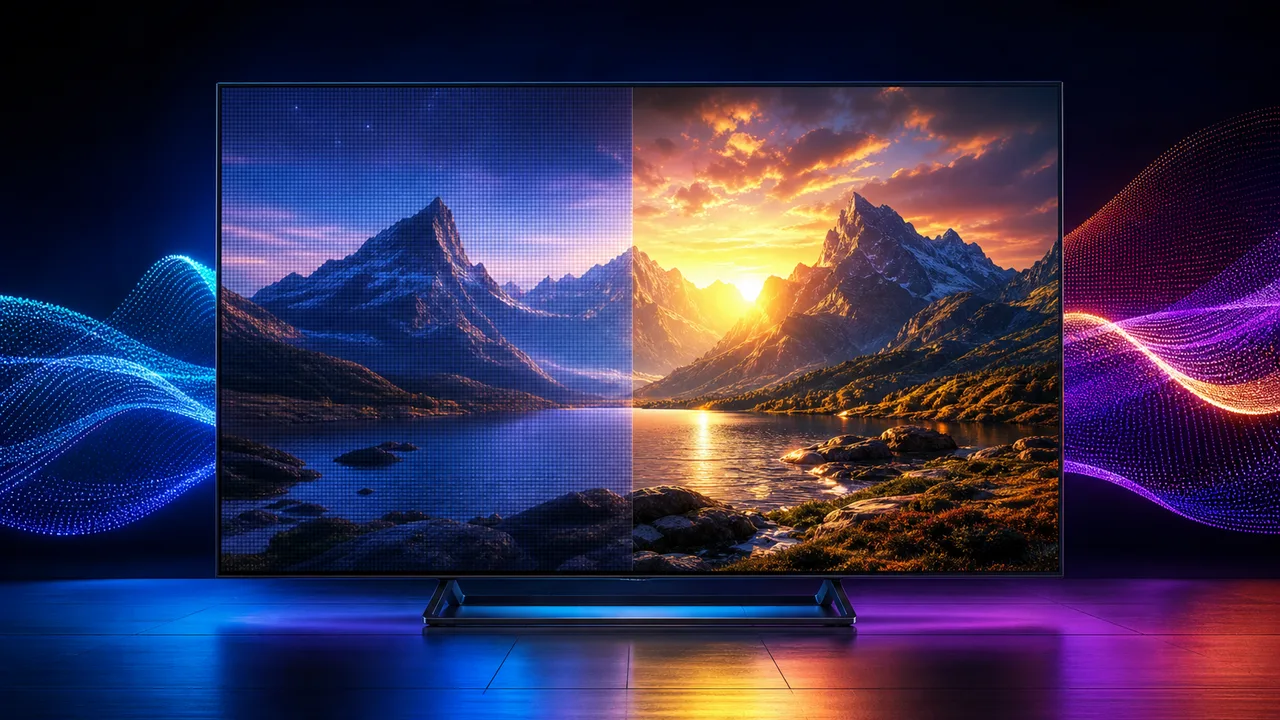
Quick answer: 4K describes resolution: the number of pixels used to form the picture. HDR describes dynamic range: how much highlight, shadow and color information a compatible screen can show. A well-produced HDR image can look more dramatic than extra resolution alone, but the source, player, device, HDMI connection and television must support the format.
The labels commonly appear together on televisions and streaming menus, but they solve different picture-quality problems. Understanding the difference helps you choose sensible settings and avoids paying for hardware that cannot display the improvement you expect.
What 4K changes
The consumer format commonly called 4K UHD uses 3840 by 2160 pixels. That is four times the pixel count of 1920 by 1080 Full HD. The extra pixels can make fine detail clearer, particularly on a larger television viewed from an appropriate distance.
Resolution does not describe the quality of every pixel. A compressed or poorly mastered 4K source can look worse than a clean HD source. A 4K label also cannot repair an unstable connection, weak Wi-Fi, low bitrate or aggressive compression.
You are most likely to notice the extra detail when:
- The source was genuinely produced or mastered in 4K
- The screen is large enough for your viewing distance
- The stream maintains adequate quality without repeated reductions
- The television is not using excessive sharpening
- The player and streaming device output the correct resolution
What HDR changes
High dynamic range can preserve more information between the darkest and brightest parts of an image. It may show brighter reflections, more detail around lights, better shadow separation and a wider range of compatible colors.
HDR is not simply a brightness mode. The content carries HDR information, the player decodes it, and the television maps it to the capabilities of its panel. Televisions with stronger contrast, useful peak brightness and accurate tone mapping usually make the effect easier to see.
Common formats include HDR10, HDR10+, Dolby Vision and HLG. Support differs by television, streaming device, application and source. A television can display ordinary 4K without supporting every HDR format.
4K vs HDR: the practical difference
Think of 4K as spatial detail and HDR as the range and presentation of light and color.
- 4K can make textures, text and fine edges more defined.
- HDR can make highlights, shadows and color transitions look more lifelike.
- 4K is easiest to notice on a large screen or at a closer distance.
- HDR can remain noticeable from farther away when the display handles it well.
- Both require compatible source material and a complete playback chain.
In our opinion, viewers often notice good HDR before they notice the difference between clean HD and 4K at a normal living-room distance. That does not make resolution unimportant. It means the entire picture matters more than a single specification.
Can a television have HDR without 4K?
Yes. Resolution and dynamic range are independent. A lower-resolution image can carry HDR information, and a 4K image can use standard dynamic range. In consumer televisions, HDR is most frequently marketed alongside 4K, which is why the terms are often confused.
Do not assume that a menu badge proves the final picture is using every advertised feature. Check the television information panel or signal details while the content is playing.
What the full streaming chain must support
For 4K HDR to reach the screen correctly, every important link must cooperate:
- The movie, episode or live source must be available in a compatible format.
- The service must deliver that version to the account and region.
- The player application must recognize and decode it.
- The streaming device must output the required resolution and HDR format.
- The HDMI cable and television input must support the necessary signal.
- The television must have the relevant HDR mode enabled for that input.
One incompatible link can cause the system to fall back to standard dynamic range, a lower resolution or a different format. This is why replacing the television alone does not guarantee a better stream.
Check the television and HDMI input
Many televisions support different capabilities on different HDMI inputs. Some require an option such as enhanced format, deep color or input signal plus to be enabled. The name varies by manufacturer.
Before changing settings:
- Confirm which HDMI inputs support the desired format.
- Use a cable rated for the device’s output requirements.
- Enable the enhanced input mode only on the relevant port.
- Set the streaming device to automatic output first.
- Play known compatible content and inspect the signal information.
Forcing HDR permanently can make ordinary standard-range content look incorrect. Automatic matching is usually the more reliable starting point.
How much internet speed 4K HDR needs
There is no single bandwidth number for every source because encoding and bitrate vary. As a practical household target, reserve about 30 Mbps for each active 4K stream and leave additional headroom for other devices. This is a planning recommendation, not a universal guarantee.
Consistency matters more than one unusually high speed-test result. Test from the actual television room during the evening. If quality repeatedly changes over Wi-Fi, compare Ethernet before replacing the display or player.
Picture settings that make the comparison fair
Use the same content, room lighting and picture mode when comparing formats. Disable retail-store modes and avoid extreme sharpening, artificial contrast or vivid color settings that hide the real difference.
Start with:
- A cinema, filmmaker or accurate preset when available
- Original aspect ratio with overscan disabled
- Automatic HDR detection
- Moderate sharpness rather than maximum edge enhancement
- Motion processing adjusted to personal preference
Our Smart TV picture-settings guide explains how to build a stable baseline without copying settings from a completely different panel.
How to tell whether a stream is really 4K
Do not rely only on a thumbnail badge. Open the television’s signal information, player diagnostics or playback details if available. Check the reported output resolution, HDR mode and whether quality changes after playback begins.
Also compare fine textures and text rather than judging a single bright scene. Our guide to checking whether a stream is really 4K covers the practical test in more detail.
Common 4K and HDR misconceptions
A 4K television makes every source native 4K
The television scales lower-resolution sources to fill its panel, but upscaling cannot recreate all detail that was absent from the original.
HDR means the entire picture should be extremely bright
Good HDR uses a wider range. Some areas may remain dark while highlights become more intense. Constant maximum brightness is not the goal.
A new HDMI cable automatically improves every picture
A working digital cable does not add detail or color. Replace it when the existing cable cannot reliably carry the required signal or causes dropouts.
The highest output setting is always best
Automatic format matching is often safer. A forced mode can process ordinary content incorrectly or create compatibility problems.
Frequently asked questions
Is every 4K title HDR?
No. Resolution and dynamic range are separate properties. Content may be 4K without HDR, or lower resolution with HDR.
Does a 4K television make every source 4K?
The television can upscale lower-resolution input to fill its panel, but upscaling does not create the same detail as a high-quality native source.
Should I force the highest quality?
Choose the highest quality your full setup can sustain reliably. Stable HD is preferable to 4K that repeatedly stops.
Is HDR better than 4K?
They improve different characteristics, so neither universally replaces the other. If the screen, source and viewing distance are suitable, using 4K and HDR together can provide the strongest result.
Check the device setup hub or ask our WhatsApp team about your television model, player and connection.